

Nachdruck von Giovanni Dominonis Blog | Originallink: https://www.giovannidominoni.it/minisforum-ms-a2-the-minipc-homelab-beast/
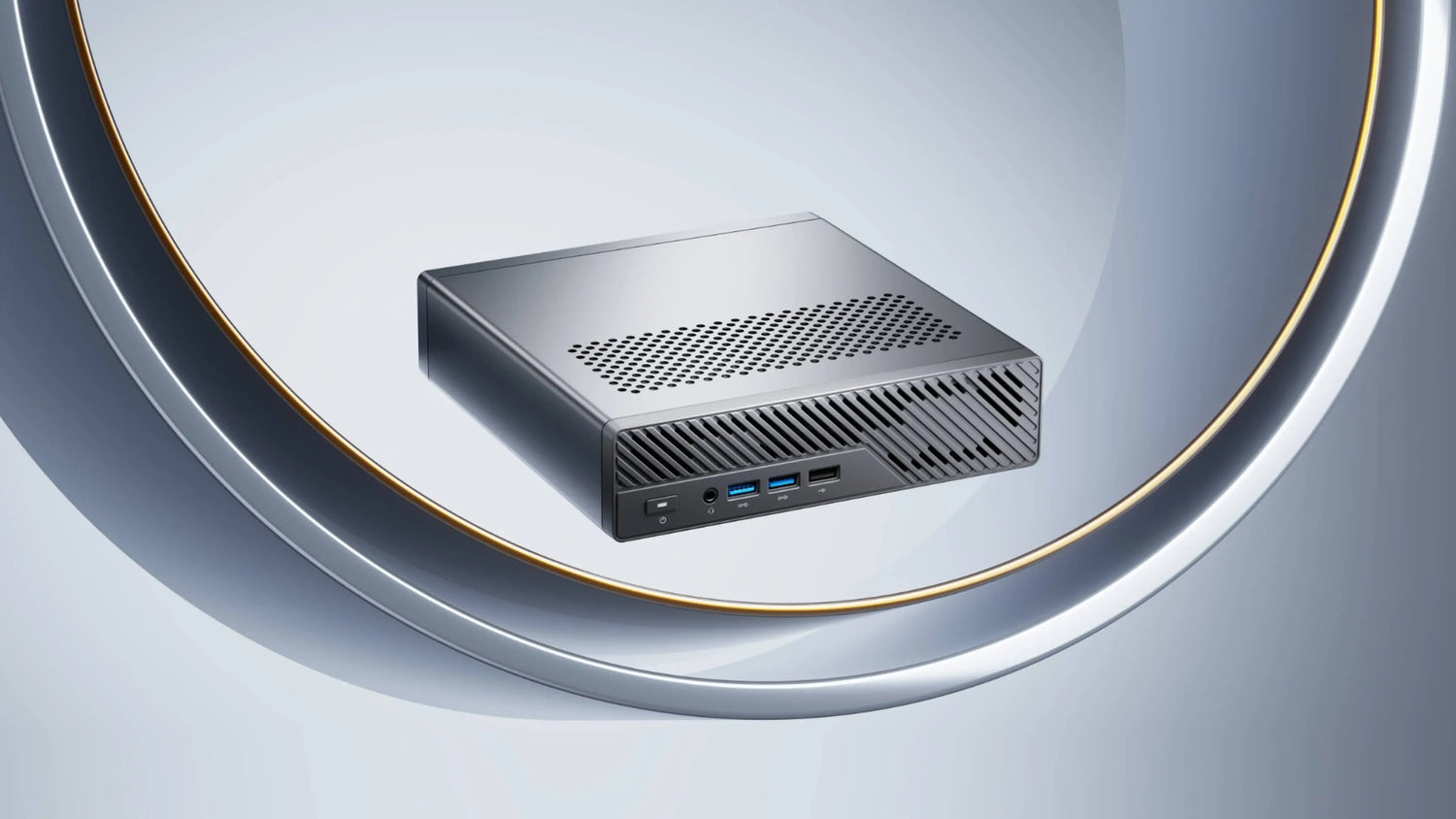
Wenn Sie ein kompaktes, leistungsstarkes Homelab aufbauen, ist der Minisforum MS-A2 einer der überzeugendsten Mini-PCs, die Sie heute kaufen können. Er bietet Workstation-Leistung, Unternehmensnetzwerk und ernstzunehmende Erweiterbarkeit – alles in einem kleinen, leisen Gehäuse, das für den Dauerbetrieb ausgelegt ist.
Die Hardware, die wirklich zählt
CPU-Auswahl:
AMD Ryzen™ 9 9955HX (Zen 5) – 16 Kerne/32 Threads, 64 MB L3-Cache, max. Boost-Taktfrequenz bis zu 5,4 GHz
AMD Ryzen™ 9 8945HX (Zen 4) – 16 Kerne/32 Threads, 64 MB L3-Cache, max. Boost-Taktfrequenz bis zu 5,4 GHz
AMD Ryzen™ 7 7745HX (Zen 4) – 8 Kerne/16 Threads, 64 MB L3-Cache, max. Boost-Taktfrequenz bis zu 5,1 GHz
Alle zeichnen sich als wahre Multicore-Workload-Bestien für intensive Rechenaufgaben aus.
Integrierte GPU:
AMD Radeon™ 610M (nicht die Radeon™ 780M) – eine Einsteiger-Grafiklösung, die dennoch für grundlegende Bildschirmausgabe, leichte GPU-Workloads und zuverlässige Hardwarebeschleunigung voll geeignet ist.
Speicherunterstützung:
Ausgestattet mit Dual-Channel DDR5 SO-DIMM-Steckplätzen, die bis zu 96 GB DDR5 RAM unterstützen. Die Speicherfrequenzen variieren je nach CPU-Modell: bis zu 5600 MHz für den 9955HX und bis zu 5200 MHz für den 8945HX und 7745HX.
Speicher:
Drei M.2 NVMe-Steckplätze mit voller Geschwindigkeit (zwei PCIe 4.0×4 Lanes, eine PCIe 3.0×4 Lane) plus Unterstützung für U.2 Enterprise NVMe-Laufwerke (bis zu 15 TB pro Laufwerk) über einen speziellen Adapter.
Erweiterung:
Ein interner PCIe 4.0×16 physischer Steckplatz (elektrisch x8), der in zwei ×4 Lanes für flexible Upgrades aufgeteilt werden kann – kompatibel mit diskreten GPUs, Hochgeschwindigkeits-Netzwerkkarten (NICs) oder Speichercontrollern.
Erweiterte Netzwerkoptionen
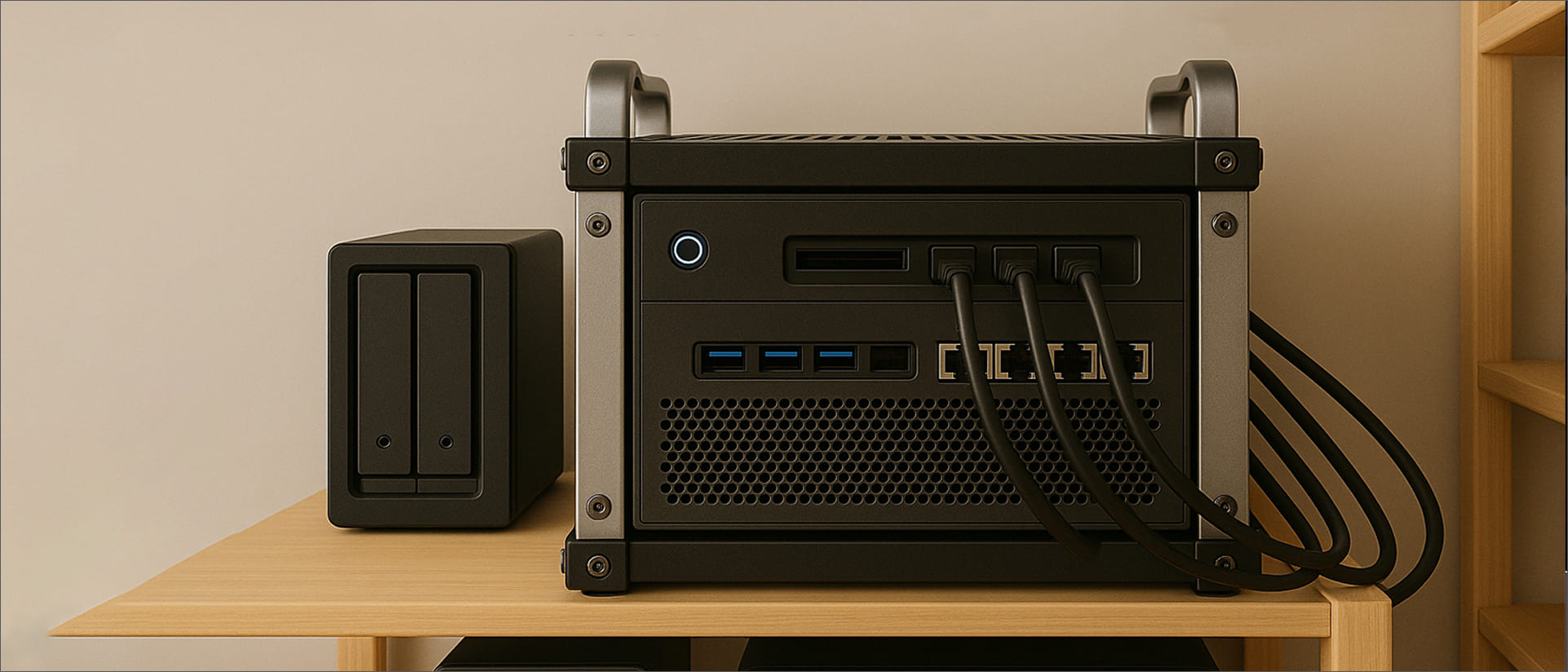
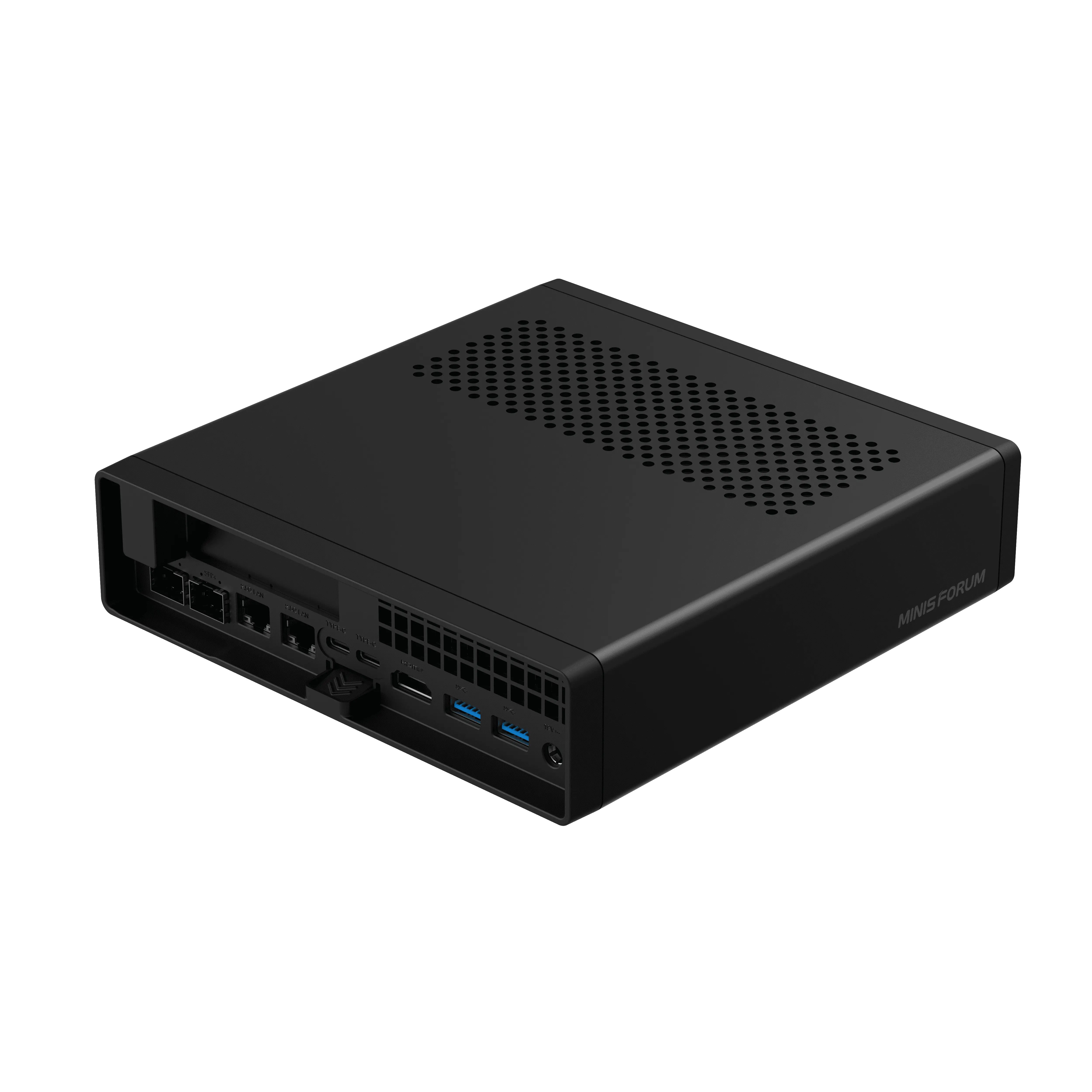
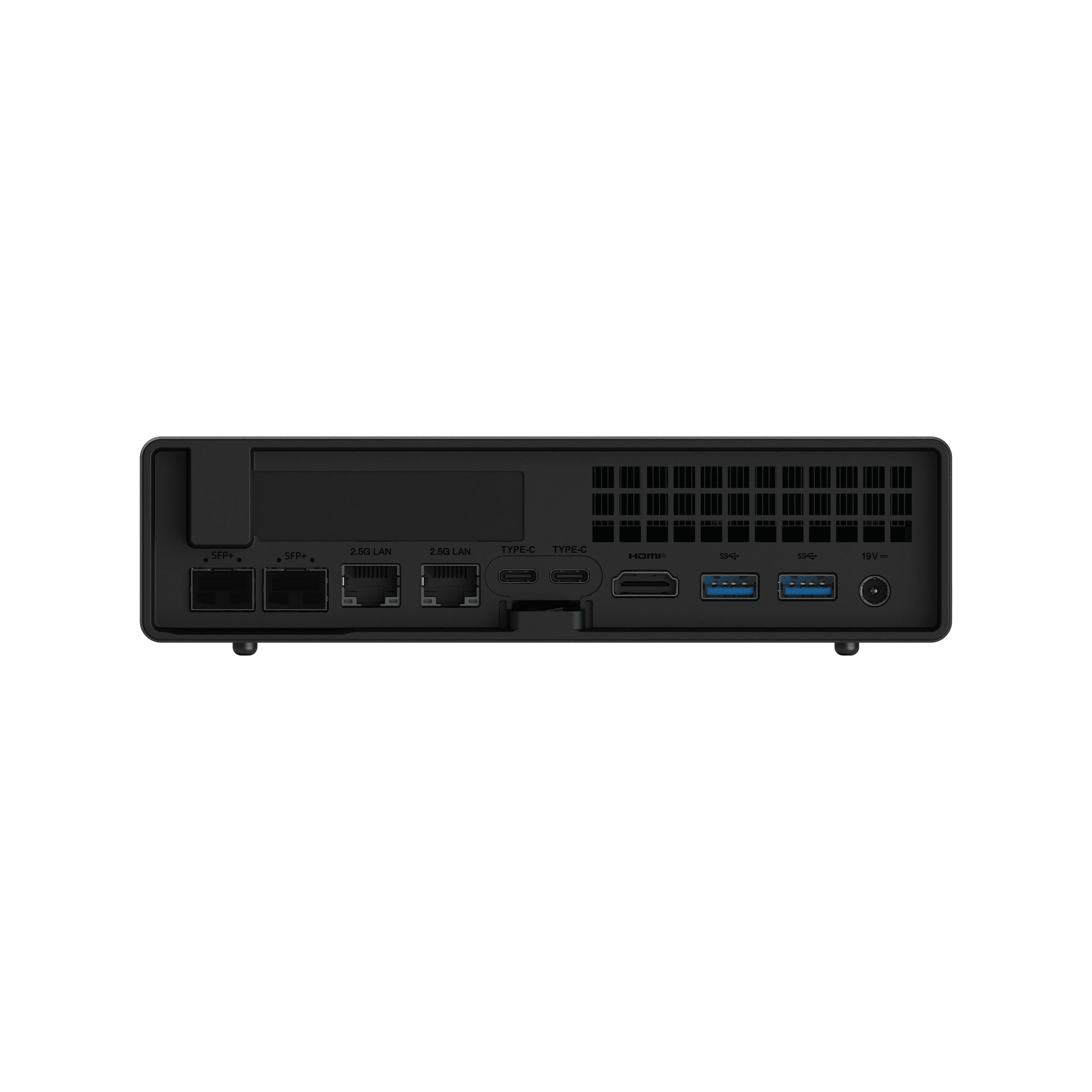
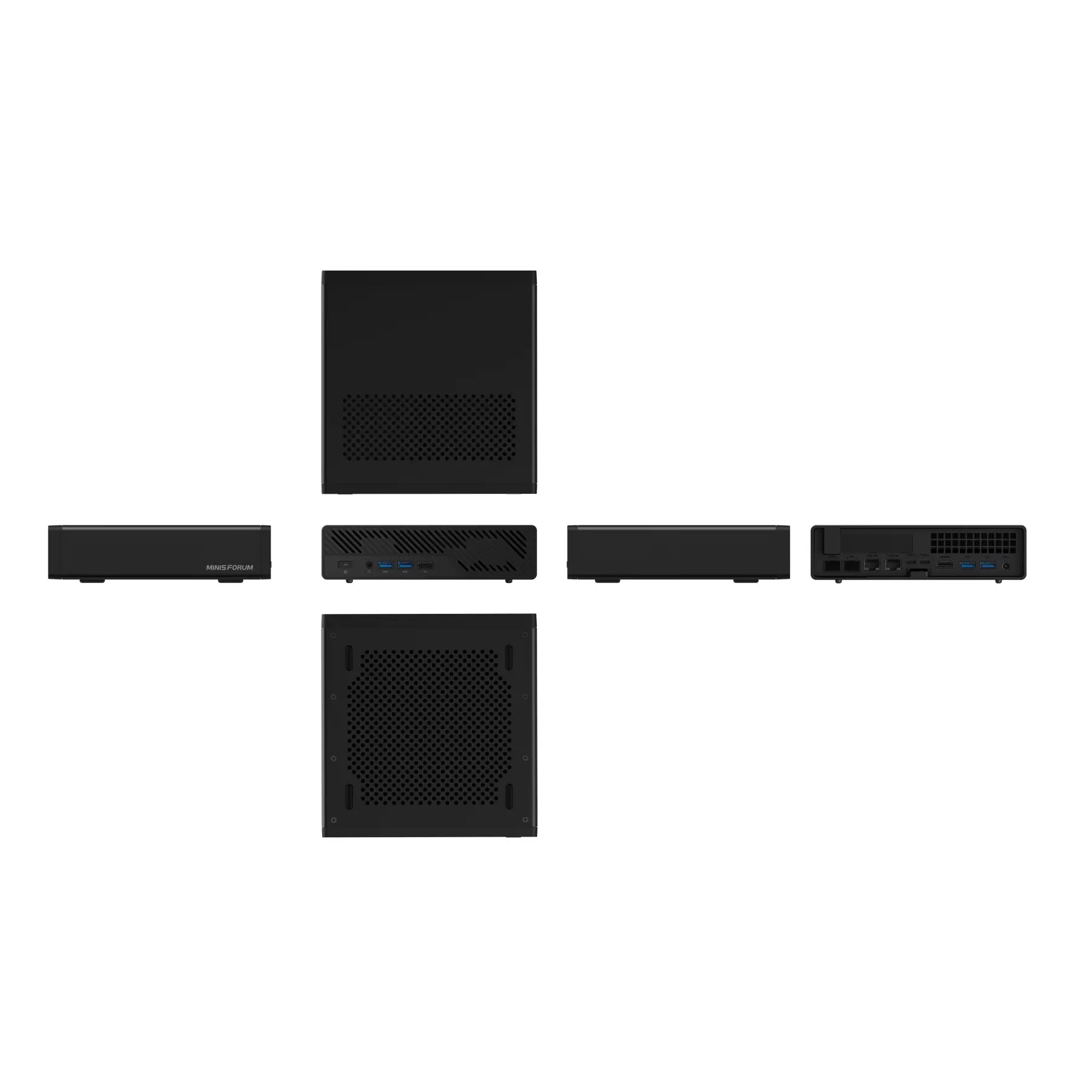
Zwei 10-GbE-SFP+-Ports (Intel X710), plus zwei 2,5-GbE-RJ45-Ports (einer Intel i226-V und einer Realtek RTL8125) – hervorragend für Multi-Speed-Heimnetzwerke.
Integriertes Wi-Fi 6E und Bluetooth 5.x Unterstützung über M.2-Adapter; aufrüstbar auf Wi-Fi 7 mit unterstützten Karten.
Vordere und hintere E/A
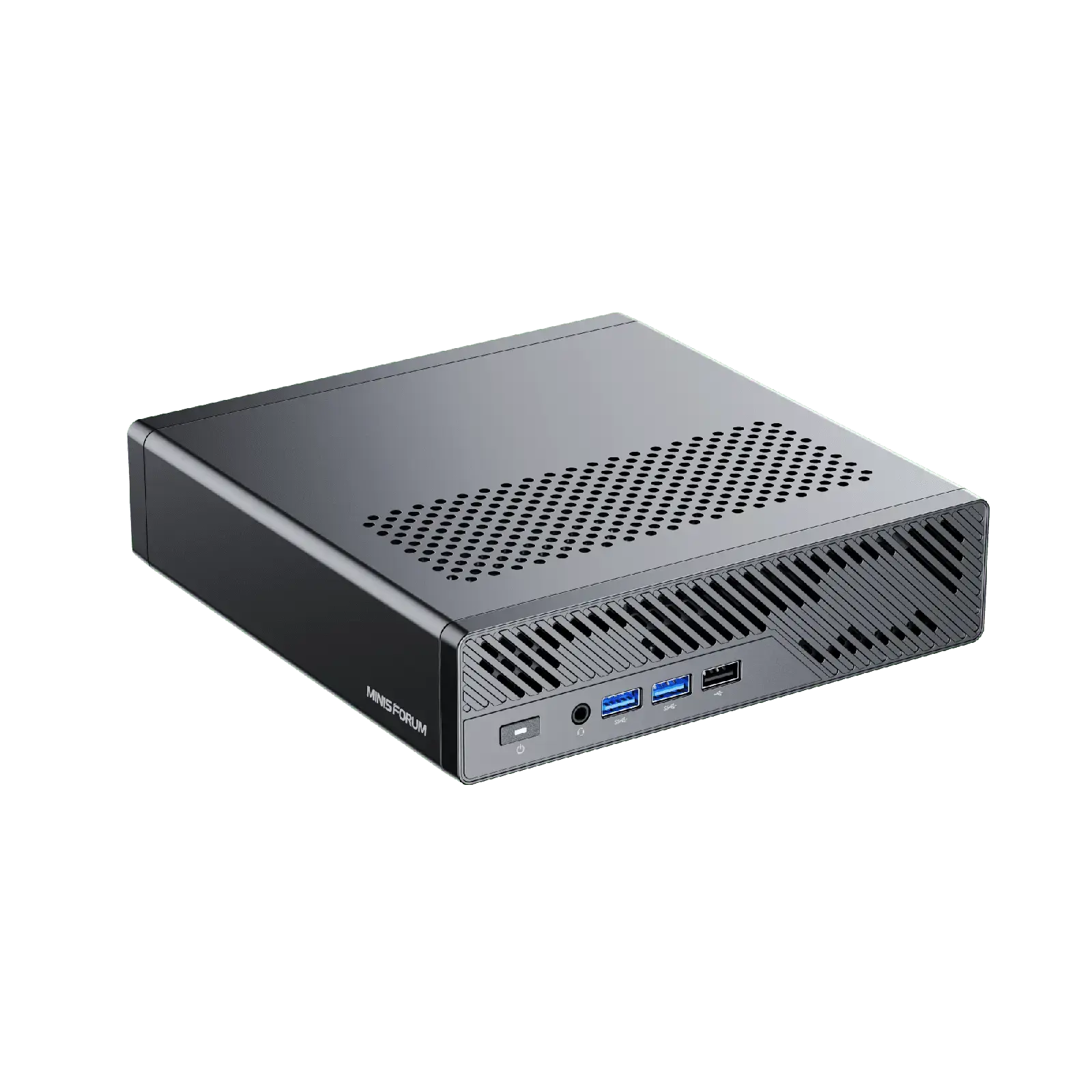
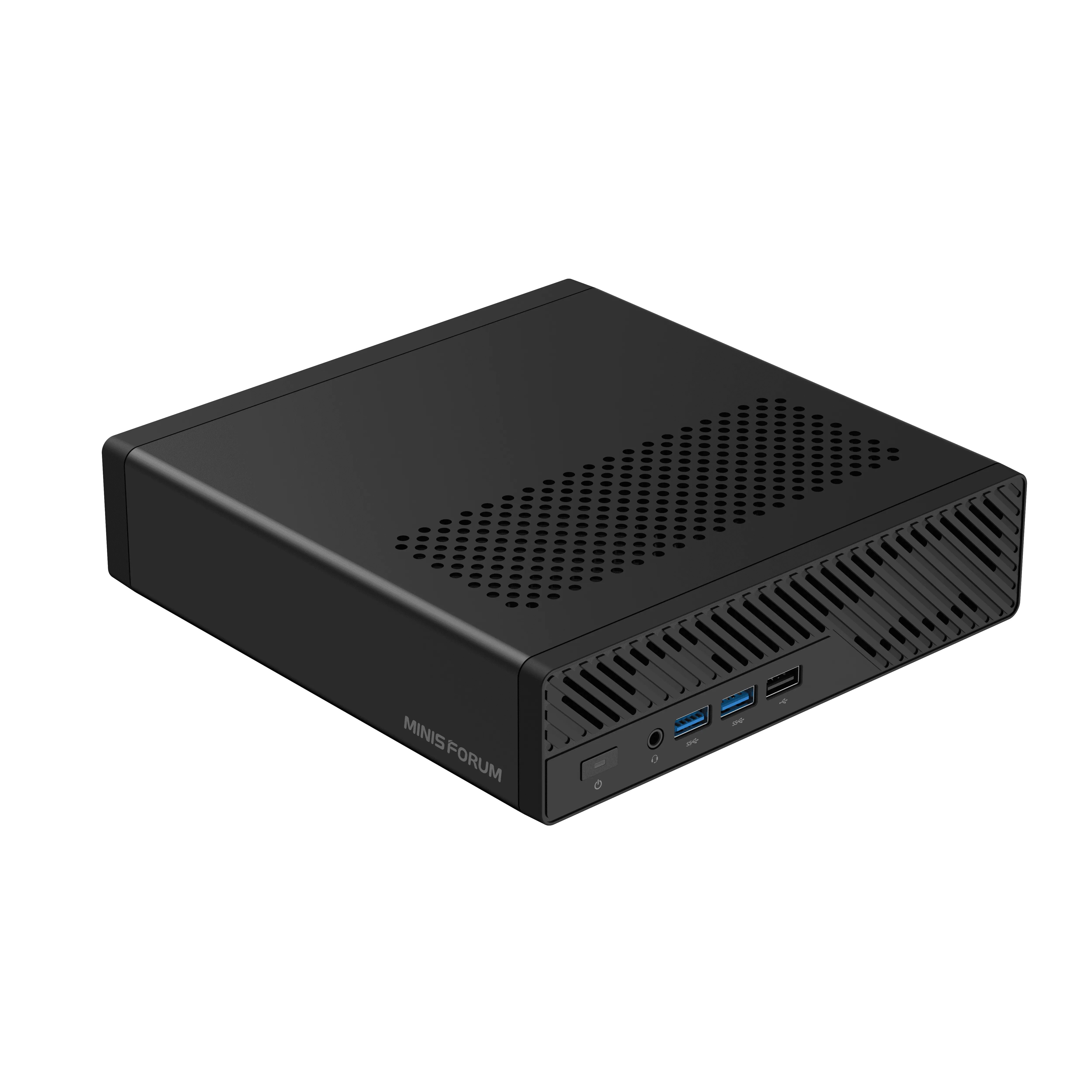
Die Vorderseite verfügt über zwei USB 3.2 Gen1 Typ-A und einen USB 2.0 Anschluss, sowie eine 3,5 mm Kombi-Buchse und einen Netzschalter.
Die hinteren Anschlüsse umfassen: einen HDMI 2.0 Ausgang, zwei USB-C 3.2 Gen2 (jeweils 10 Gbit/s mit DisplayPort Alt-Mode bis DP 2.0, unterstützend 8 K@60 Hz), vier weitere USB 3.2 Typ-A Anschlüsse und Audiobuchsen für Vorder- und Rückseite. Wichtig: keine USB4- oder Thunderbolt 4-Konnektivität.


Warum Homelabber sich darum kümmern sollten
1. Massive Multi-Core-Leistung im Kleinformat
Mit 16 Kernen / 32 Threads von Ryzen 8945HX oder 9955HX werden selbst die anspruchsvollsten Multi-VM-Workloads, Kubernetes-Cluster, verschachtelte Virtualisierung (z.B. Proxmox oder ESXi) oder aufwendige Container-Builds gut bewältigt. Zen 5s IPC-Verbesserungen verschaffen dem 9955HX-Modell einen weiteren Vorteil.
2. Schneller interner Speicher und Skalierbarkeit
Drei PCIe 4.0 NVMe-Steckplätze ermöglichen die Einrichtung schneller Betriebssystemlaufwerke, Scratch-/Cache-Volumes oder interner Speicherpools. Darüber hinaus ermöglicht die U.2-Unterstützung SSDs der Enterprise-Klasse, wenn Sie extreme Kapazität oder Zuverlässigkeit suchen. Diese Kapazität in Bezug auf die Anzahl der installierbaren Festplatten ermöglicht die Konfiguration des absoluten Minimums für Hyperconverged Nodes wie Nutanix Community Edition oder VMware vSAN. (besonders wenn Sie mehrere Nodes haben, können Sie auch das 10-Gbit-Netzwerk für die Speicherkonversation zwischen den Nodes nutzen, was gar nicht so schlecht ist!)
3. Unternehmensnetzwerkfunktionen in einem kompakten Gerät
Mit zwei 10-GbE-SFP+-Ports und zwei 2,5-GbE-RJ45-Ports lassen sich Routing, Netzwerksimulation, Firewall-Tests und Hochgeschwindigkeits-Speichernetzwerke trotz des geringen Platzbedarfs von 1,7 L einfach in Ihrer Laborumgebung bereitstellen.
4. PCIe-Erweiterungssteckplatz für Zusatzmodule
Der interne PCIe 4.0-Steckplatz (elektrisch x8) ermöglicht den Anschluss diskreter NICs, GPUs oder Speichercontroller – ein ungewöhnliches Merkmal in solch kleinen Systemen. Dies ermöglicht Edge-GPUs für KI-Aufgaben oder sogar Low-Profile-Videoworkloads sowie zukünftige Flexibilität.
5. Upgradefreundlich und gut gekühlt
Der werkzeuglose Zugang zum Gehäuse beschleunigt Komponentaufrüstungen. Die Bewertungen befanden das Kühlsystem als effizient, den enthaltenen M.2-Kühlkörper als nützlich und die allgemeine Verarbeitungsqualität als nahezu ideal für den 24/7-Homelab-Betrieb.
Beste Homelab-Anwendungsfälle
Proxmox-, Nutanix CE- oder ESXi-Knoten: Führen Sie mehrere verschachtelte VMs, virtuelle Router und Container mit vollständiger SFP+-Konnektivität auf Drahtebene aus.
vSphere/NSX-T-Labor: Bauen Sie professionelle Netzwerk- und Virtualisierungslabore mit 10-GbE-Schnittstellen und erweiterbarem Speicher auf.
TrueNAS SCALE: Dual 10GbE ermöglicht gemeinsame ZFS-Pools über Knoten hinweg; U.2-Kapazität ermöglicht große Speichermengen.
Edge-Kubernetes-Knoten / KI-Inferenz: Mit PCIe-Steckplatz für GPU-Beschleunigung.
Selbst gehosteter Entwicklungs-Stack oder Medienserver: ZFS-Pools, schnelle CPU-Transkodierung (Radeon 610M) und hohe RAM-Kapazität.
Endgültiges Urteil
Der Minisforum MS‑A2 ist nicht nur ein Mini-PC – er ist eine Workstation im Small-Form-Factor, die für herausragende Homelab-Leistungen entwickelt wurde:
Bis zu 96 GB DDR5 RAM, dreifacher interner NVMe- + U.2-Speicher – tatsächlich haben einige versierte Homelab-Nutzer bereits das 128-GB-Kit getestet und es funktionierte reibungslos.
Duales 10‑GbE + duales 2,5‑GbE-Netzwerk
PCIe 4.0 x8 Erweiterungssteckplatz für anpassbare Skalierbarkeit
Kompakt, werkzeuglos und thermisch effizient
Obwohl es kein Thunderbolt gibt, bleibt es eine überzeugende Option für Benutzer, die Verarbeitungsleistung, interne Konnektivität, Speicherflexibilität und Netzwerkleistung gegenüber externer Gerätebandbreite priorisieren. Für Homelab-Projekte, die sich auf virtuelle Infrastrukturen, Netzwerkgeräte, Speicherarrays oder Edge-Computing konzentrieren, bietet dieses System bemerkenswerte Funktionen in einem schlanken Gehäuse.
Wenn Sie bereit sind, Ihr Homelab mit dieser leistungsstarken kompakten Workstation aufzurüsten, sehen Sie sich die gesamte Produktpalette an und sichern Sie sich noch heute Ihren Minisforum MS-A2!



Exklusive Vorteile im Markenshop

Liefergebiete

Lieferpünktlichkeit

Reparaturdienste

Versicherungsdienstleistungen
Vorteile für Minisforum-Kunden
×
Exklusive Vorteile im Markenshop
›
- Online-Sofortdienst
- 3 Jahre erweiterte Garantie
- Geschenkeinlösung mit Punkten
Liefergebiete
›
Kostenlose Lieferung nach:
- EU-Länder: Tschechische Republik, Dänemark, Österreich, Belgien, Bulgarien, Kroatien, Estland, Finnland, Frankreich, Deutschland, Griechenland, Irland, Italien, Lettland, Litauen, Luxemburg, Niederlande, Polen, Portugal, Rumänien, Slowakei, Slowenien, Spanien, Schweden, Ungarn.
- Nicht-EU-Länder: Schweiz, Albanien, Belarus, Nordmazedonien, Island, Bosnien und Herzegowina, Vatikanstadt, Liechtenstein, Monaco, Norwegen, San Marino.
Lieferpünktlichkeit
›
- DE Lager: 5-7 Werktage
- Hongkong Lager: 7-10 Werktage
- Generalüberholte Geräte: 5-7 Werktage
- Vorverkaufsartikel: 5-7 Werktage nach Ankunft im Lager
Reparaturdienste
›
Bietet kostenlose Reparatur- und Kundendienstleistungen für Produkte innerhalb der Garantiezeit an. Für weitere Details wenden Sie sich bitte an das Kundendienstteam.
Versicherungsdienstleistungen
›
Minisforum bietet zwei Arten von Schutz für verkaufte Produkte:
- 1. Der Versandschutz beinhaltet: Verlust und Beschädigung auf dem Transportweg, Diebstahl/Paketpiraterie, Fehllieferung durch den Kurierdienst, 5 USD Entschädigung für verspätete reibungslose Reklamationsabwicklung
- 2. Produktschutzplan: Kunden können einen 1-, 2- oder 3-Jahres-Versicherungsplan wählen, der auf ihre Bedürfnisse zugeschnitten ist. Dieser Plan deckt versehentliche Schäden ab, die während des normalen Gebrauchs des Produkts auftreten, und erweitert die ursprüngliche Herstellergarantie nach deren Ablauf um identische Garantiebedingungen. Unterschiedliche Laufzeiten unterliegen unterschiedlichen Prämiensätzen.

Zahlungsmethoden

Vertrauenswürdige Zustellung

Dieser Artikel wurde von der Website erneut veröffentlicht